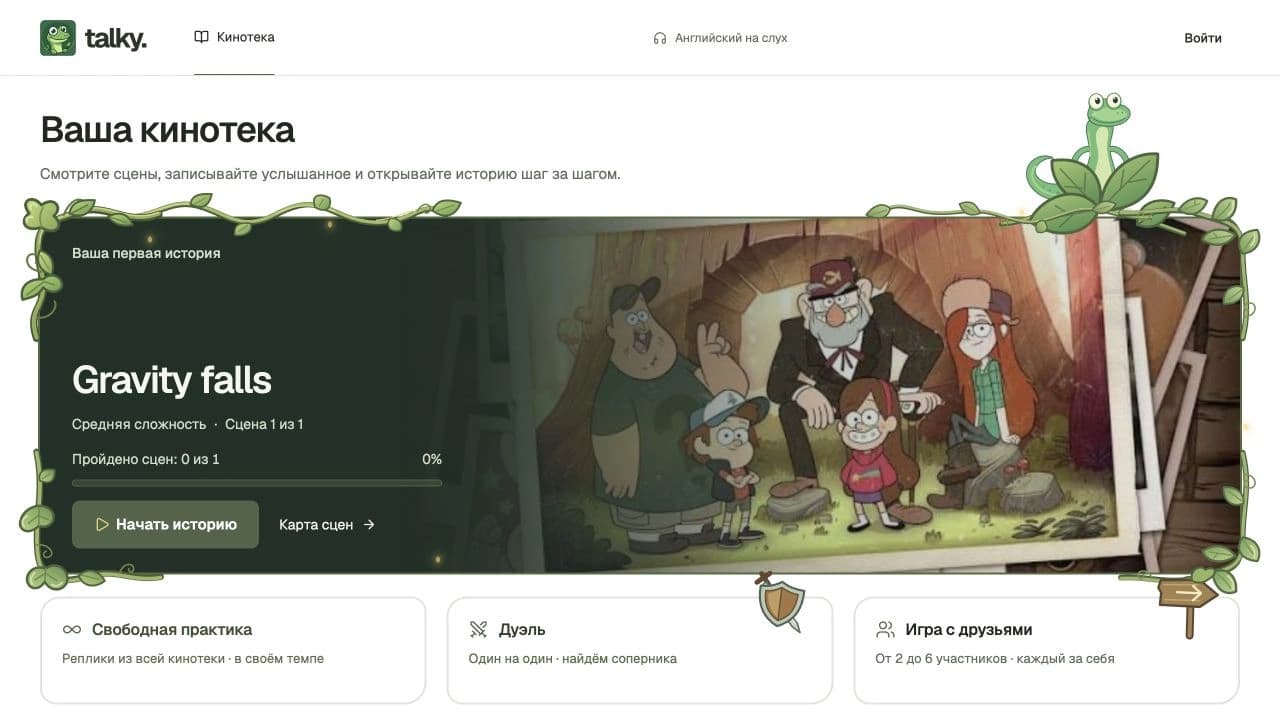
Talky builds practice around short scenes. Learners choose a story from the library, listen to dialogue and type the words they hear. Video type and difficulty filters help them choose material, while progress saved to their account lets them continue their current story.
Every scene has a next step.
The map shows the sequence of scenes and the current stage. Completing a scene unlocks the next one, with progress saved to the learner’s account.
01 / 01The current scene and story progress before starting.
Actual Russian interface. The lesson is shown as a crop; duel and friends rooms are shown at the setup stage.
One phrase at a time.
Video pauses at each phrase. Learners enter only letters; spaces and punctuation are already in place. They can replay the phrase, change playback speed, reveal a letter and check the answer. Keyboard shortcuts and optional automatic advance support the lesson flow.
01 / 01A lesson crop with video, phrase entry and answer checking tools.
Actual Russian interface. The lesson is shown as a crop; duel and friends rooms are shown at the setup stage.
Practice beyond the story.
Free practice draws phrases from the library, with easy, medium and hard difficulty levels. Results in this mode are tracked separately from story progress.
01 / 01A separate mode for library phrases with a choice of difficulty.
Actual Russian interface. The lesson is shown as a crop; duel and friends rooms are shown at the setup stage.
A duel or a room for friends.
The 1v1 duel offers the same phrases, a shared start and a choice of 3 or 5 phrases per round. Rooms support 2–6 players, with public or invitation access and a join code. The screens show setup for these modes.
01 / 02Duel setup with shared phrases, a common start and a choice of round length.
Actual Russian interface. The lesson is shown as a crop; duel and friends rooms are shown at the setup stage.
Let’s discuss your learning product.
Tell us what your users will learn. We will discuss the workflows, features and scope.